EVERY SET.TWO TAPS.NO KEYBOARD.
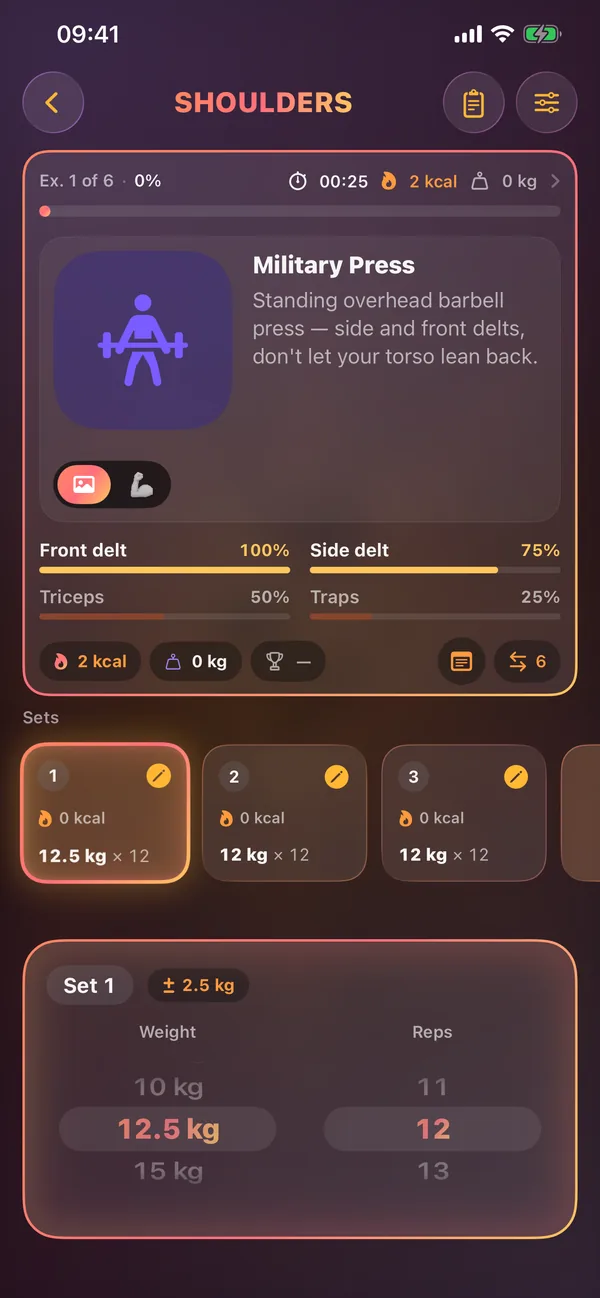
Spin the wheels for weight and reps, double-tap to save, and the next set is already filled in from your last session. The rest timer follows you to the Lock Screen, the Dynamic Island and your wrist.
Log a set
right here.
Scroll the wheels, then save the set with the button or a double-click on a wheel. Saving starts the rest timer, just like in the app.
In the app the set also saves by itself after a 3-second countdown (adjustable from 2 to 10 s).
Built for
the gym floor.
Your day, ready before you are
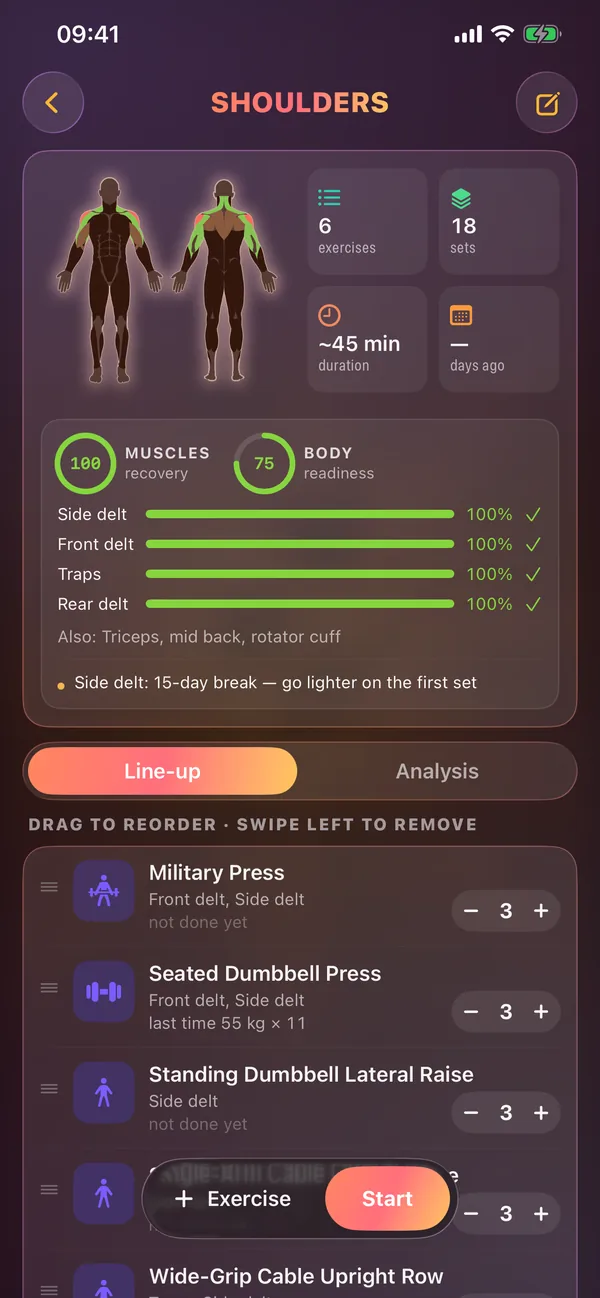
Each training day shows its muscles on a body map, the planned sets, an estimated duration and how recovered those muscles are.
- Drag to reorder, swipe to remove, ± sets per exercise
- Muscle recovery and body readiness before you press Start
- Duration estimated from your own past sessions
Prefill that remembers
Every set is copied from the same set last time. Change it with a flick of a wheel, or double-tap to confirm it as it is.
- Weight step toggle: 0.5, 1, 2.5 or 5 kg
- A typo check when a weight is 150% of your last max
- Interrupted workouts reopen exactly where you stopped
A loop that runs itself
Riseform knows which day comes next. Finish Shoulders and Legs is up; Arms stays available as an extra day that never breaks the loop.
- 4-day rotation: Shoulders, Legs, Back & Biceps, Chest & Triceps
- Create your own days with a name, icon and colour
- Reorder, archive and restore days at any time
200 movements, each with a muscle map
Technique notes, primary and secondary muscles, and up to six alternatives you can swap in mid-workout without losing the sets you've logged.
- 13 cardio movements included
- Add your own exercise with a photo, a clip or your own video link
- Six equipment types, each with a sensible weight step
On your wrist.
On your Lock Screen.
Train from your wrist
Start a day, dial weight and reps with the Digital Crown and run the rest timer. Heart rate is optional.
Lock Screen controls
Lock Screen and Dynamic Island with Save set, Rest, +30 s and Stop. An alarm mode gets through silent and Focus.
Moments that count
A full-screen celebration when you beat the heaviest weight of your last session on that movement.
Saved to Apple Health
Workouts are written as Traditional Strength Training with active energy. Calories come from your Watch when it's worn.
Post your session
A summary card in story (1080×1920) or square (1080×1080) format with three backgrounds.
Every set in a spreadsheet
Full history to XLSX: summary, one row per set, per-exercise stats, measurements and steps.
Questions,
answered.
Do I need to type anything during a workout?
No. Weight and reps are set with wheels, and a set saves with a double-tap or by itself after a short countdown.
What happens if the app closes mid-workout?
The workout reopens at the exercise you were on. After an hour without input it pauses and asks whether to continue or finish.
Does it work without an Apple Watch?
Yes. The Watch adds wrist controls and heart rate, but everything works on iPhone alone.
Can I build my own program?
Yes. Create days with your own exercises, put them in the main rotation or keep them as special days, and change set counts per exercise.
On your device.
Nowhere else.
There is nothing to sign up for, not even an email. Open the app and train.
No ads, no analytics, no third-party SDKs. App Privacy on the App Store: Data Not Collected.
Optional sync through your own private iCloud, plus .gymbak backups and full XLSX export.
YOUR GYM.
YOUR RULES.
YOUR DATA.
Offline. Private. No accounts required.
Built for iPhone, iPad and Apple Watch. iOS 26+. Zero third-party dependencies.